ComfyUI - NetaYume Lumina
NetaYume Lumina 모델 기본
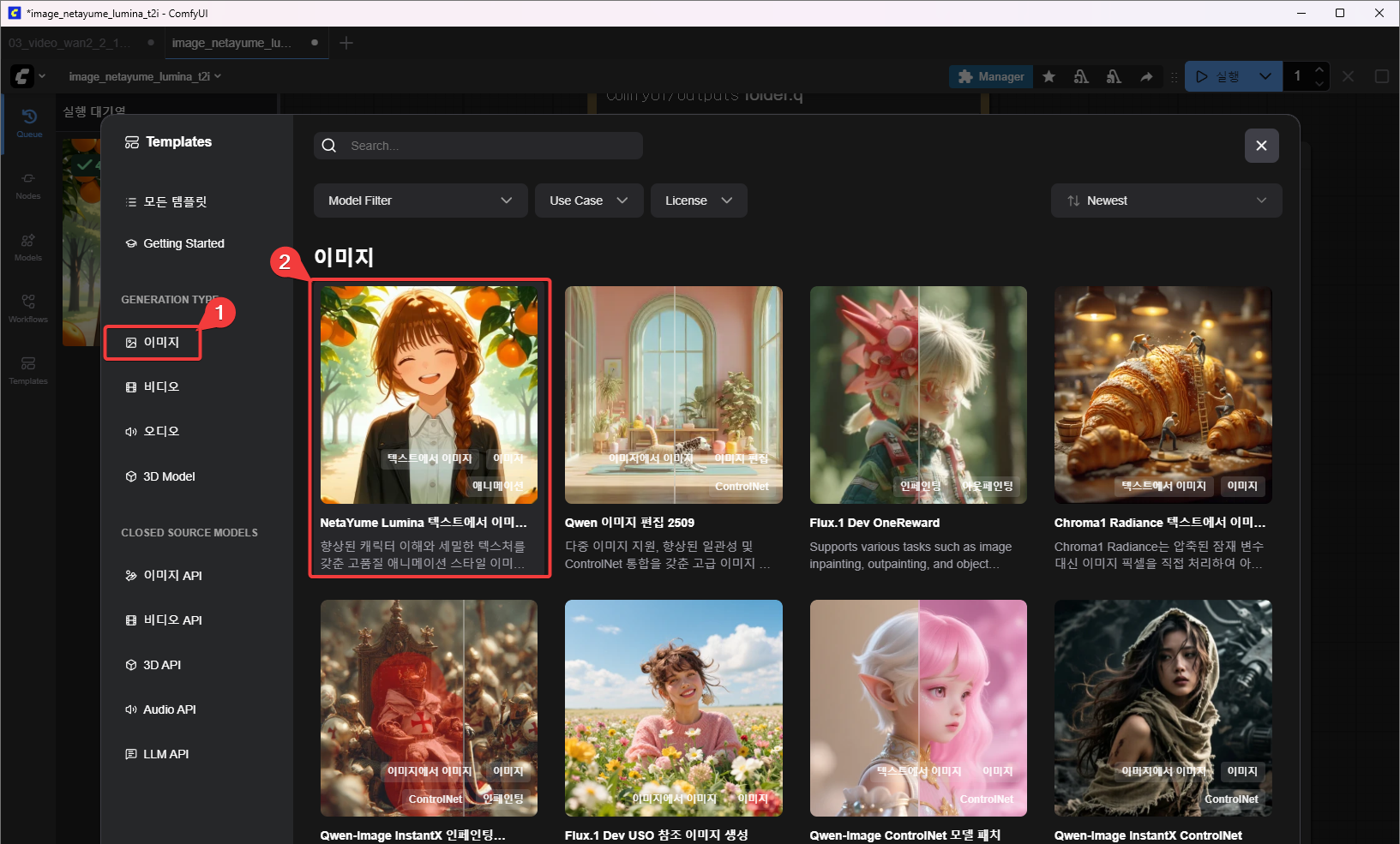
이미지 관련 템플릿이 많지만 여기서 NetaYume Lumina 모델을 선택한다. 이 모델은 텍스트를 이미지로 바꿔준다.
샘플값으로 실행해 보기
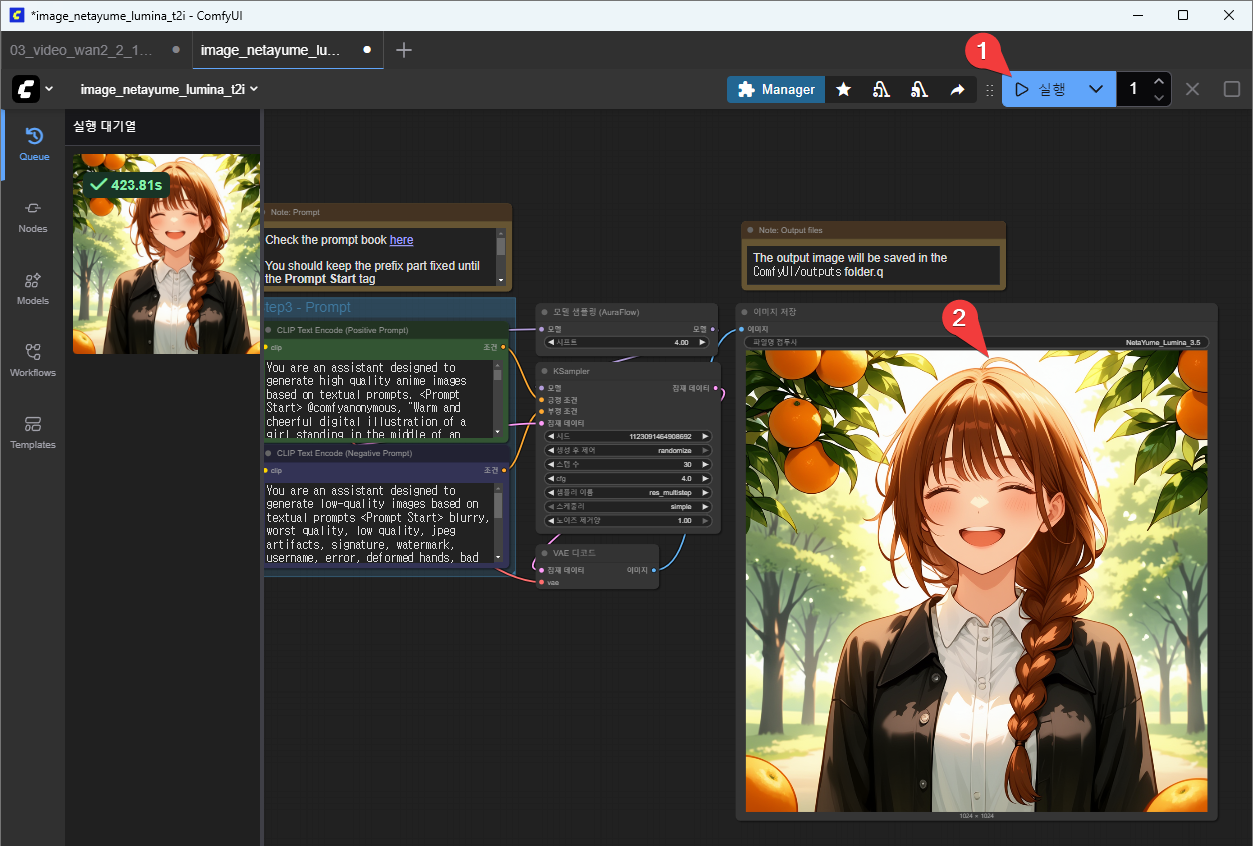
위와 같이 이 템플릿을 열자마자 바로 “실행” 버튼을 누른다. 샘플로 적혀 있는 내용으로 이미지가 만들어진다.
샘플로 적혀 있는 내용은 다음과 같다.
You are an assistant designed to generate high quality anime images based on textual prompts. <Prompt Start> @comfyanonymous, "Warm and cheerful digital illustration of a girl standing in the middle of an orange grove, surrounded by lush green leaves and ripe, vibrant oranges hanging from the trees. She has chestnut-brown hair tied in a single loose braid draped over her shoulder, with soft bangs framing her bright, smiling face.
 Her expression is full of joy and sunshine—eyes squinting slightly, mouth open in a wide, carefree smile, radiating pure happiness. She wears a crisp white blouse underneath a black jacket, slightly unbuttoned for a relaxed look. The sunlight filters through the leaves above, casting dappled golden light on her hair and shoulders, creating a warm, inviting atmosphere.

A few oranges hang close to her head, and one or two lie on the ground around her feet. The background features soft-focus trees stretching into the distance, with sunlight breaking through the foliage. The art style is painterly and soft, emphasizing the natural setting and the girl's radiant, wholesome charm."
이미지 내용 서술은 영어로 한다.
이미지 내용 서술은 2가지로 하는데, 하나는 이렇게 만들어 달라는 뜻의 Positive Prompt(긍정적 서술) 이고 다른 하나는 이렇게는 만들지 말아달라는 뜻의 Negative Prompt(부정적 서술) 이다.
샘플로 적혀 있는 Negative Prompt는 다음과 같다.
You are an assistant designed to generate low-quality images based on textual prompts <Prompt Start> blurry, worst quality, low quality, jpeg artifacts, signature, watermark, username, error, deformed hands, bad anatomy, extra limbs, poorly drawn hands, poorly drawn face, mutation, deformed, extra eyes, extra arms, extra legs, malformed limbs, fused fingers, too many fingers, long neck, cross-eyed, bad proportions, missing arms, missing legs, extra digit, fewer digits, cropped
샘플로 적혀 있는 Negative Prompt가 충분히 훌륭하니 특별한 이유가 없다면 수정하지 않는 것이 좋겠다.
prompt 입력해 이미지 만들기
이제 Positive Prompt를 수정해 내가 원하는 이미지를 만들어 보자.
prompt는 먼저 한글로 쓴 다음, 영어로 번역해 사용한다.
구글 번역 사이트를 이용하면 편하다.
구글 번역 사이트 url: https://translate.google.co.kr/?sl=ko&tl=en&op=translate
다음과 같이 사용할 수 있다.
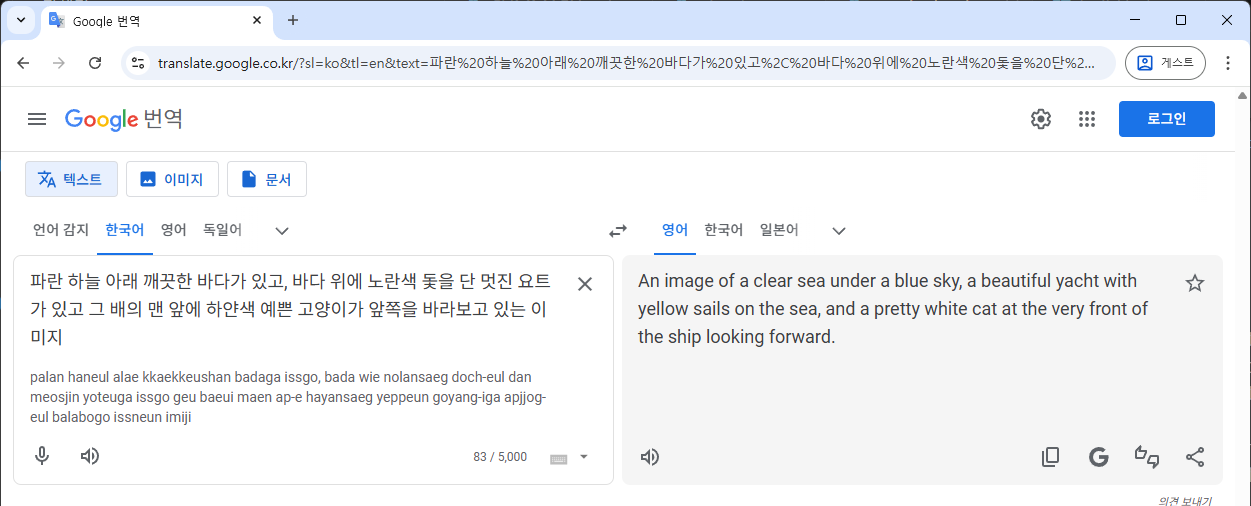
여기서 입력한 내용은 다음과 같다.
파란 하늘 아래 깨끗한 바다가 있고, 바다 위에 노란색 돛을 단 멋진 요트가 있고 그 배의 맨 앞에 하얀색 예쁜 고양이가 앞쪽을 바라보고 있는 이미지
번역된 내용은 다음과 같다.
An image of a clear sea under a blue sky, a beautiful yacht with yellow sails on the sea, and a pretty white cat at the very front of the ship looking forward.
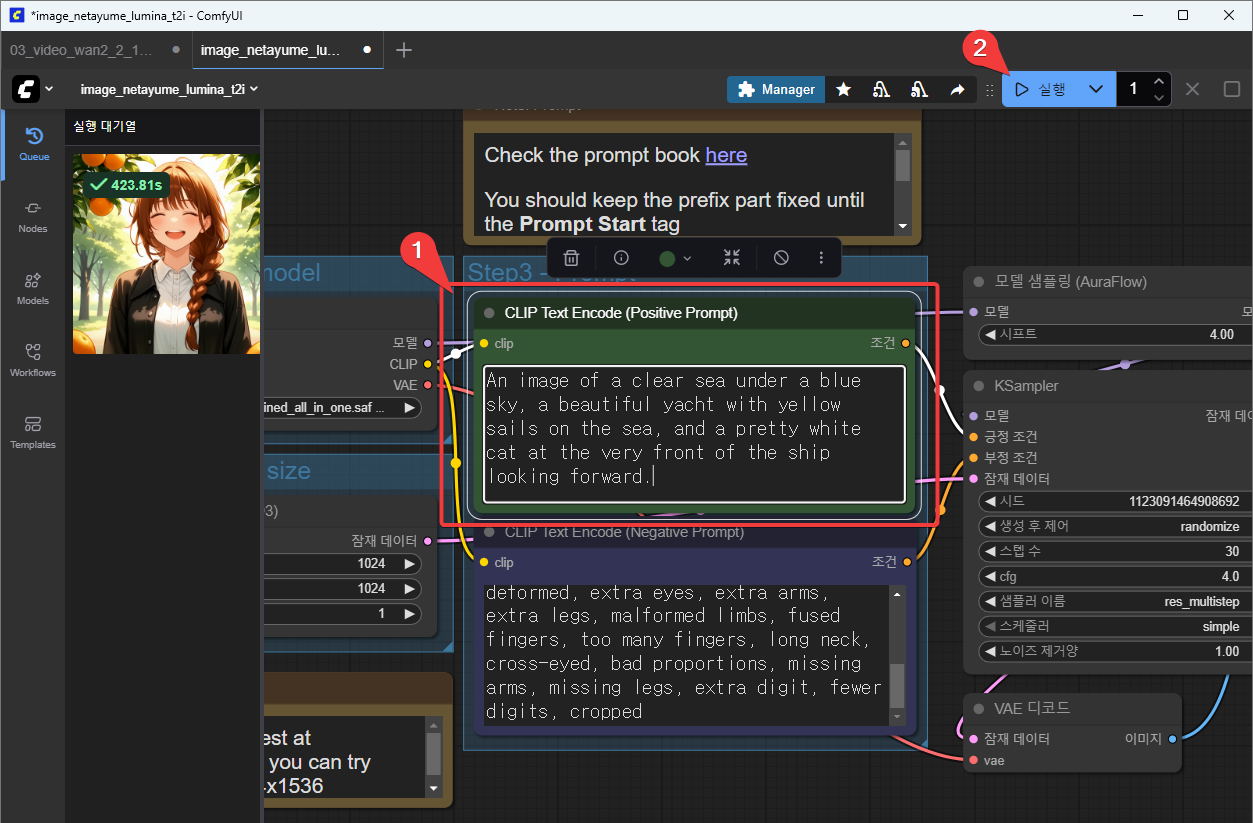
positive prompt 부분에 위와 같이 붙여 넣은 후 “실행” 버튼을 누른다.
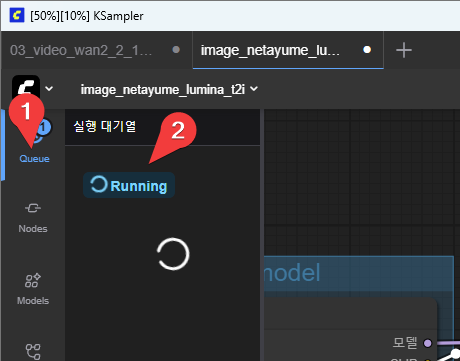
왼쪽 툴바에서 “Queue” 버튼을 누르면 실행 대기열이 나오고, 여기에 여태 실행한 내역과 현재 실행 중인 내역이 나타난다.
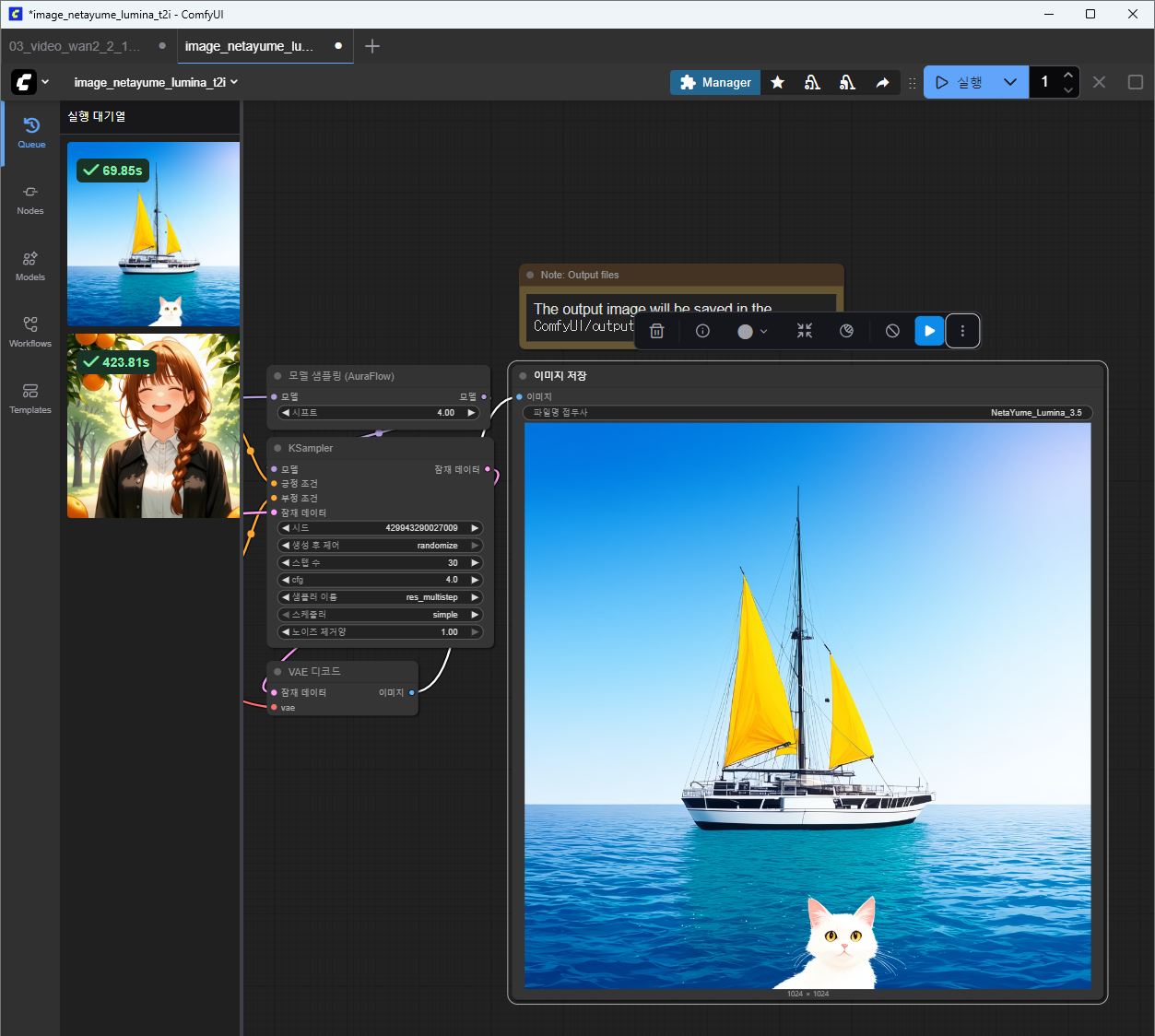
약 1분 후 결과가 나타난다. 의도했던 바와는 약간 다르게 나타났지만.
결과 저장
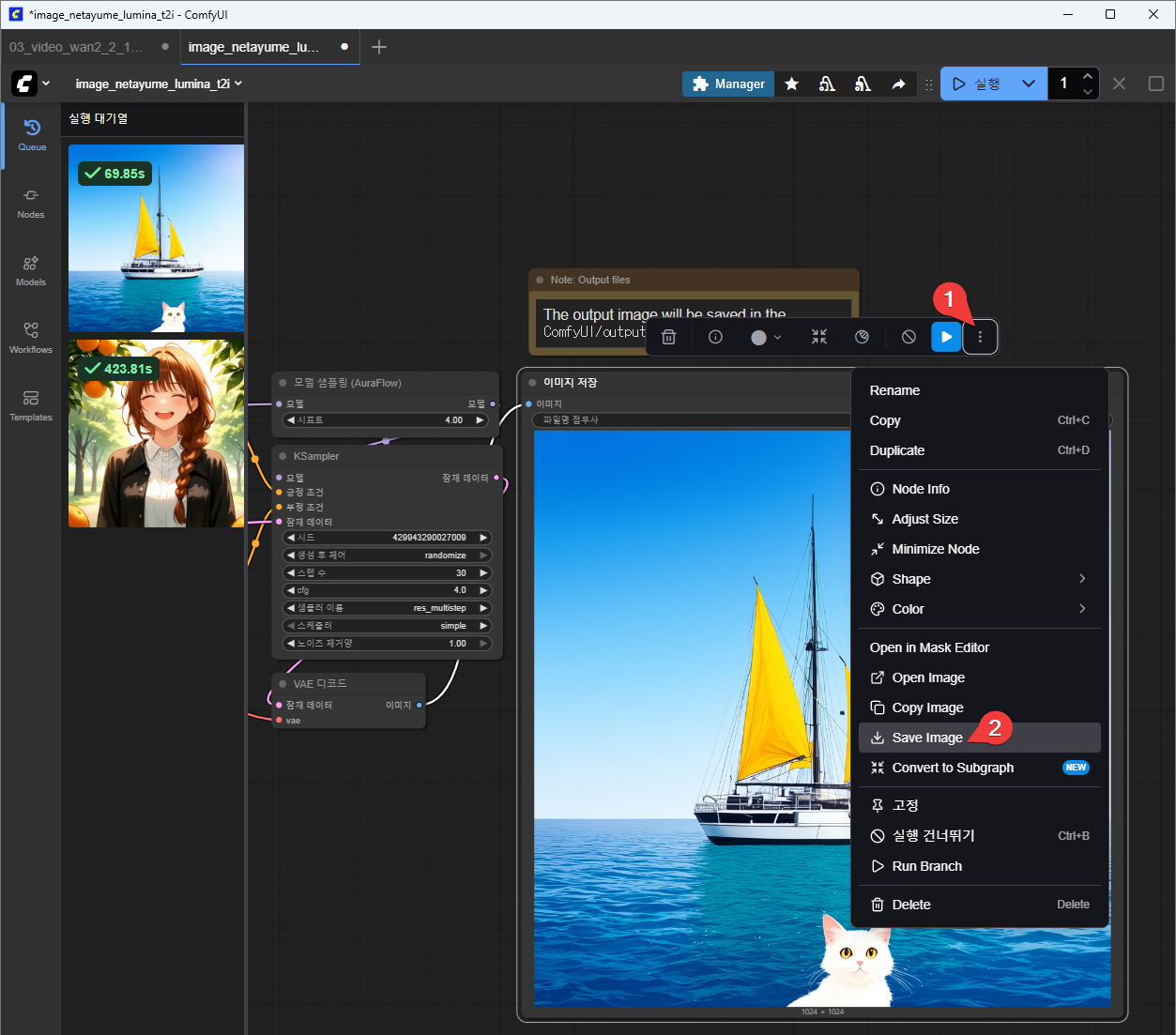
위와 같이 생성된 파일을 내 컴퓨터에 저장할 수 있다.